I so wish this were representative. I have been trying to install nvidia drivers on debian and doing so bricked my entire workstation lol. If you know anything about this don’t hesitate to chime in btw
Yes, it was only after grub that the drivers were loaded and the kernel presumably panicked or at least nothing was displayed. Not sure if that is what you mean by bricked the entire workstation. If something broke before the kernel is loaded I doubt it was because of the drivers.
If you want to keep your current Debian installation alive you can try to chroot into it from a live usb.
Sorry if this is completely obvious to you but I really don’t know what to expect based on your description.
Having looked at your other comments and the post you linked I too am intimidated. It looks as though you have access to your boot menu and bios though. I don’t know what the upsides of secure boot are but I never turned it on on my current desktop PC. Maybe disabling it could help?
You should know nvidia is the worst and it is definitely an nvidia problem. Nothing else (even DNS) is, such a pain on linux. Nvidia routinely ships broken software on their stable branch even for their top of the line consumer cards.
I have two 4k monitors and run many flavors of Linux as daily drivers. Plus I have a 4090. It’s not a super common setup but for a company as huge as nvidia they should be testing dual monitor setups and it is clear they do not. I have stopped updating my nvidia drivers after the 3rd time I lost basic functionality after a driver update.
I ran dpkg --get-selections to get all my installed packages and here’s the installed Nvidia stuff. Try to install what’s missing.
If you can’t even get to command line, try to backup your data to an external source by using a live USB, and replace your debian with Pika OS, which has all the Nvidia stuff out the gate.
Thanks a bunch for the advice but I can’t start my system. That’s regardless of the distro I try and install (I already overwrote Trixie with Bazzite… and now with Nobara).
I followed this tutorial :https://fostips.com/install-nvidia-driver-in-debian-13/?amp=1
I explain the situation over here in more detail if by any chance this rings a bell with you :
you done fucked up the secure boot settings I think. I am in no way qualified to help you.
I don’t even understand how you can install a different OS. Work off a live USB if you even can.
As far as I understand this is the bit you fucked up. btw, the images in the debian forum post just show “filename1.jpg” as text and don’t display. post on !/c/[email protected]
Step2: Enroll MOK keyfor Secure Boot
Debian updates its kernel (minor versions) regularly for security updates and fixes. Without re-building kernel modules every time, DKMS is used, which however needs be signed for secure boot using a machine owner key (MOK).
1. First, run the command below to check if Debian was installed with UEFI boot by running the command below in terminal:
ls /sys/firmware/efi
The command tells to list the /sys/firmware/efi directory content. If it says “No such file or directory”, then you have Debian installed as legacy boot.
2. Next, run command to check if secure boot enabled:
sudo mokutil --sb-state
If both UEFI and secure boot enabled (as the screenshot below shows you), then you need to run commands below one by one to create and enroll MOK key.
3. First, run the command below to manually generate a mok key.
sudo dkms generate_mok
Run sudo apt install dkms if the dkms command not found, andset a password for the key.
4. Next, run command to import the key:
sudo mokutil --import /var/lib/dkms/mok.pub
5. Finally, reboot your computer. At next boot, it should pop-up a screen (see the screenshot below), asking to perform MOK menagement.
There, just choose to Enroll MOK -> continue -> confirm -> enter password (you setwhen creating the key) -> reboot.
After enabled non-free repository and enrolled MOK key, you may then run the commands below to install NVIDIA driver.
First, install the kernel headers for DKMS:
sudo apt install linux-headers-$(dpkg --print-architecture)
Can’t see the images in the forum, but is the kernel actually starting? (Does it get past grub? Does it get to grub?)
From your forum post it sounds like you’re seeing a secure boot issue, which may require changing some bios settings. (Installing the non free driver definitely breaks secure boot.)
Yep, definitely secure boot. For now, you may be able to disable secure boot on your workstation or boot off of the install media and run the commands to enroll the mok key that you were given in another thread.
Mint has a driver manager application that makes installing nvidia drivers point-and-click simple.
Come to think of it, the three PCs I use on a regular basis all have nvidia GPUs (970, 1080, discrete quadro in a dell laptop) and all are running Mint. No problems, even playing games.
I even use that one script to unlock the number of simultaneous NVENC sessions after I update the driver.
Sounds representative, it didn’t even try to stop you!
Everyone else is saying secure boot should be correct. I was unable to load my nvidia driver until disabling secure boot, but I luckily had integrated graphics. What I think happened is you switched to to nvidia drivers that required proper secure boot before it would load. The drivers that are loaded before that don’t require secure boot to be setup so that’s why you had an output.


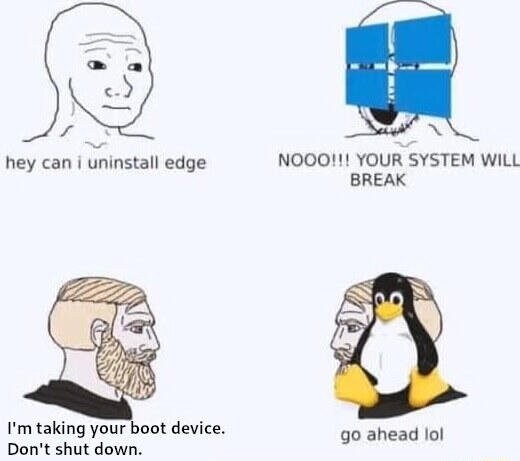
I so wish this were representative. I have been trying to install nvidia drivers on debian and doing so bricked my entire workstation lol. If you know anything about this don’t hesitate to chime in btw
No clue how to fix it. I had a similar issue and it fixed itself when I switched to endeavouros with i3.
Ok, thank you for the feedback still. You were able to install a different OS and boot into it normally?
Yes, it was only after grub that the drivers were loaded and the kernel presumably panicked or at least nothing was displayed. Not sure if that is what you mean by bricked the entire workstation. If something broke before the kernel is loaded I doubt it was because of the drivers. If you want to keep your current Debian installation alive you can try tochrootinto it from a live usb. Sorry if this is completely obvious to you but I really don’t know what to expect based on your description.Having looked at your other comments and the post you linked I too am intimidated. It looks as though you have access to your boot menu and bios though. I don’t know what the upsides of secure boot are but I never turned it on on my current desktop PC. Maybe disabling it could help?
Good news is it’s much harder to accidentally wipe/fragment all your files than it is to break your system
If anything is lost right now, you might be able to get it back just by booting from a live USB to explore your file system
You should know nvidia is the worst and it is definitely an nvidia problem. Nothing else (even DNS) is, such a pain on linux. Nvidia routinely ships broken software on their stable branch even for their top of the line consumer cards.
I have two 4k monitors and run many flavors of Linux as daily drivers. Plus I have a 4090. It’s not a super common setup but for a company as huge as nvidia they should be testing dual monitor setups and it is clear they do not. I have stopped updating my nvidia drivers after the 3rd time I lost basic functionality after a driver update.
I ran
dpkg --get-selectionsto get all my installed packages and here’s the installed Nvidia stuff. Try to install what’s missing.If you can’t even get to command line, try to backup your data to an external source by using a live USB, and replace your debian with Pika OS, which has all the Nvidia stuff out the gate.
nvidia-alternative
nvidia-driver
nvidia-driver-bin
nvidia-driver-libs:amd64
nvidia-driver-libs:i386
nvidia-egl-common
nvidia-egl-icd:amd64
nvidia-egl-icd:i386
nvidia-installer-cleanup
nvidia-kernel-common
nvidia-kernel-dkms
nvidia-kernel-support
nvidia-legacy-check
nvidia-modprobe
nvidia-persistenced
nvidia-settings
nvidia-smi
nvidia-support
nvidia-suspend-common
nvidia-vdpau-driver:amd64
nvidia-vulkan-common
nvidia-vulkan-icd:amd64
nvidia-vulkan-icd:i386
EDIT : from
apt list --installedThanks a bunch for the advice but I can’t start my system. That’s regardless of the distro I try and install (I already overwrote Trixie with Bazzite… and now with Nobara). I followed this tutorial :https://fostips.com/install-nvidia-driver-in-debian-13/?amp=1
I explain the situation over here in more detail if by any chance this rings a bell with you :
https://forums.debian.net/viewtopic.php?t=164124
Cheers, appreciate the advice
you done fucked up the secure boot settings I think. I am in no way qualified to help you.
I don’t even understand how you can install a different OS. Work off a live USB if you even can.
As far as I understand this is the bit you fucked up. btw, the images in the debian forum post just show “filename1.jpg” as text and don’t display. post on !/c/[email protected]
Step 2: Enroll MOK key for Secure Boot Debian updates its kernel (minor versions) regularly for security updates and fixes. Without re-building kernel modules every time, DKMS is used, which however needs be signed for secure boot using a machine owner key (MOK). 1. First, run the command below to check if Debian was installed with UEFI boot by running the command below in terminal: ls /sys/firmware/efi The command tells to list the /sys/firmware/efi directory content. If it says “No such file or directory”, then you have Debian installed as legacy boot. 2. Next, run command to check if secure boot enabled: sudo mokutil --sb-state If both UEFI and secure boot enabled (as the screenshot below shows you), then you need to run commands below one by one to create and enroll MOK key. 3. First, run the command below to manually generate a mok key. sudo dkms generate_mok Run sudo apt install dkms if the dkms command not found, and set a password for the key. 4. Next, run command to import the key: sudo mokutil --import /var/lib/dkms/mok.pub 5. Finally, reboot your computer. At next boot, it should pop-up a screen (see the screenshot below), asking to perform MOK menagement. There, just choose to Enroll MOK -> continue -> confirm -> enter password (you set when creating the key) -> reboot. After enabled non-free repository and enrolled MOK key, you may then run the commands below to install NVIDIA driver. First, install the kernel headers for DKMS: sudo apt install linux-headers-$(dpkg --print-architecture)Thank you that’s already a lead !
I did follow the instructions to the letter so not sure what I should have done differently
I am going to ask on the community you linked. Thanks again
I just cross-posted my cry for help over there. Thanks again for the redirection. https://programming.dev/post/39832602
Can’t see the images in the forum, but is the kernel actually starting? (Does it get past grub? Does it get to grub?)
From your forum post it sounds like you’re seeing a secure boot issue, which may require changing some bios settings. (Installing the non free driver definitely breaks secure boot.)
Hi, how do I check for that ? how do I recognize grub ?
Here is a crosspost of my thread from the Debian forums :
https://programming.dev/post/39832602
Thanks a bunch for stopping by…
Yep, definitely secure boot. For now, you may be able to disable secure boot on your workstation or boot off of the install media and run the commands to enroll the mok key that you were given in another thread.
Mint has a driver manager application that makes installing nvidia drivers point-and-click simple.
Come to think of it, the three PCs I use on a regular basis all have nvidia GPUs (970, 1080, discrete quadro in a dell laptop) and all are running Mint. No problems, even playing games.
I even use that one script to unlock the number of simultaneous NVENC sessions after I update the driver.
Sounds representative, it didn’t even try to stop you!
Everyone else is saying secure boot should be correct. I was unable to load my nvidia driver until disabling secure boot, but I luckily had integrated graphics. What I think happened is you switched to to nvidia drivers that required proper secure boot before it would load. The drivers that are loaded before that don’t require secure boot to be setup so that’s why you had an output.
This is just an nvidia thing unfortunately.
Like the hardware or just the install?
A live usb would let you in to fix it
SSH in and forcibly uninstall all Nvidia packages, then reinstall them fresh following Nvidia’s website.
At least this has worked for me on Ubuntu on several occasions.